
Image to Image AI
Turn your pictures into stunning AI art in seconds. Simple, fast, and professional.
Output

My Images
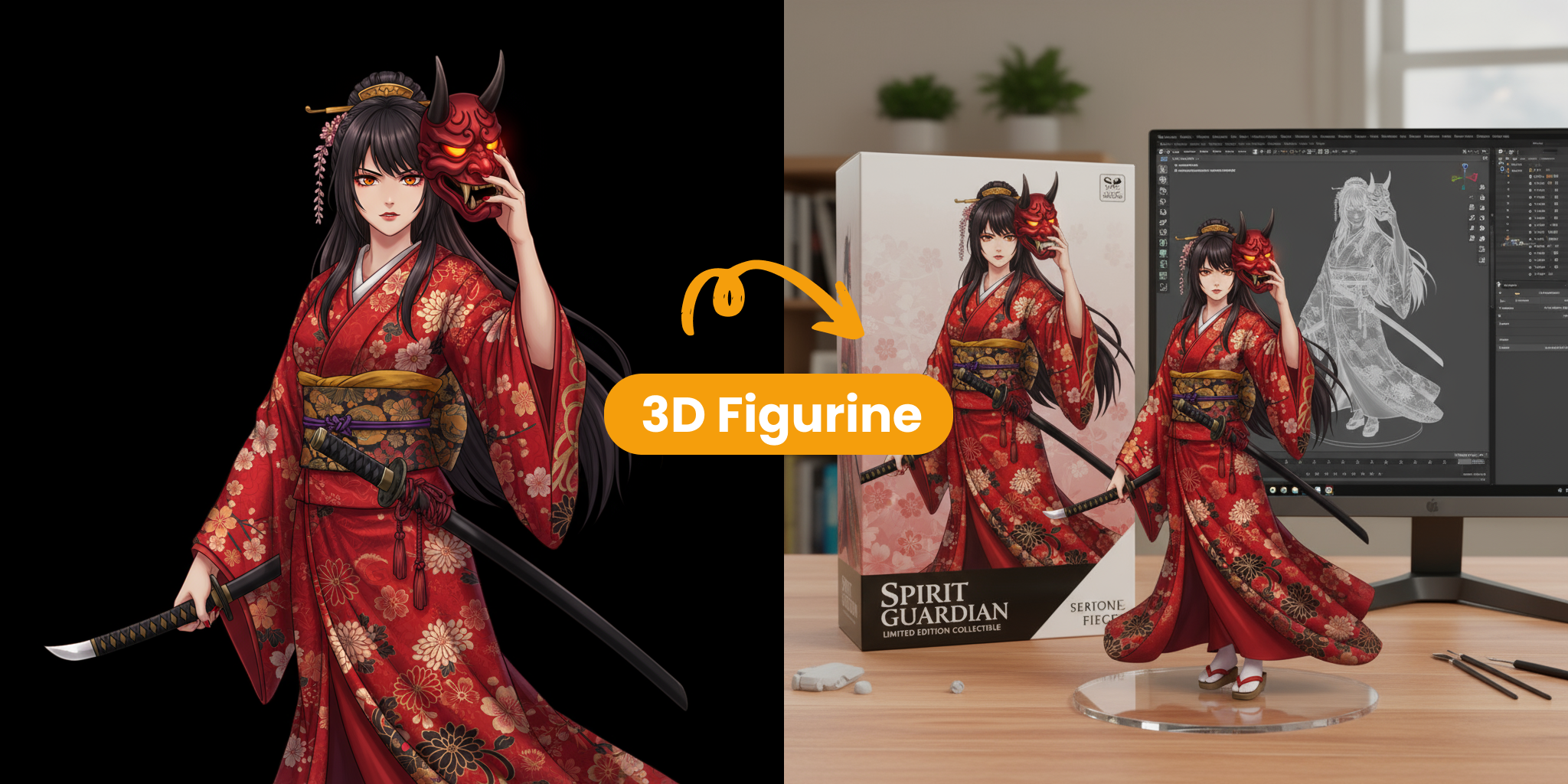
What is Image to Image AI?
Image to Image AI is a powerful technology that lets you transform your existing photos into fresh, creative variations. By using your original image as a base along with a simple prompt, our tool generates new versions that blend your source material with your creative ideas.
- Smart TransformationsOur advanced engine analyzes the layout and content of your photo to apply new styles or textures while keeping the core structure intact.
- Creative FlexibilityEasily change the mood, artistic style, or even the time of day in your pictures without needing complex editing software.
- High-Quality ResultsUsing advanced neural networks, our tool ensures that every transformation looks professional, coherent, and visually stunning.
Main Benefits of Image to Image AI
See why creators use our technology to make amazing visuals with very little effort:
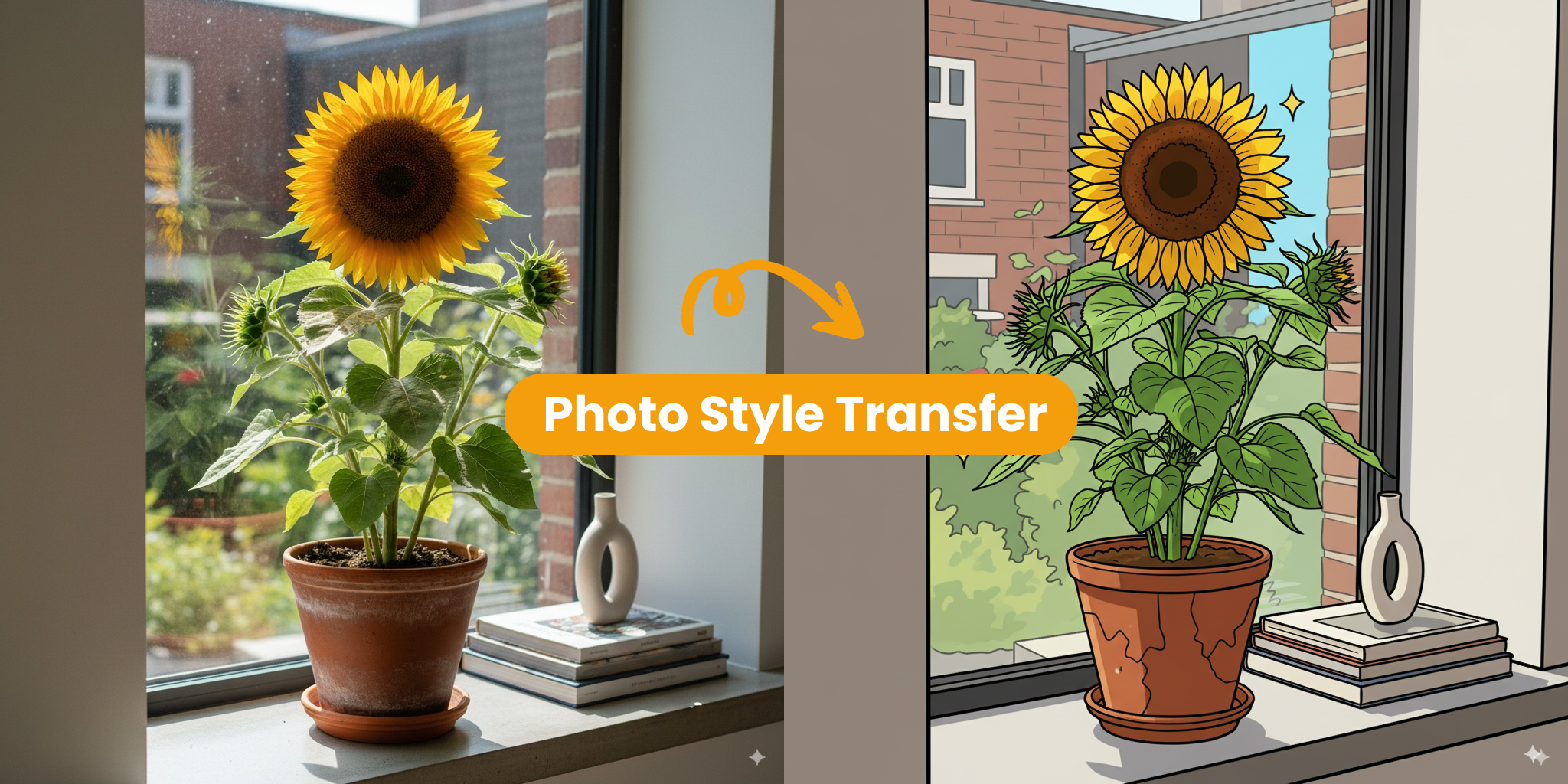
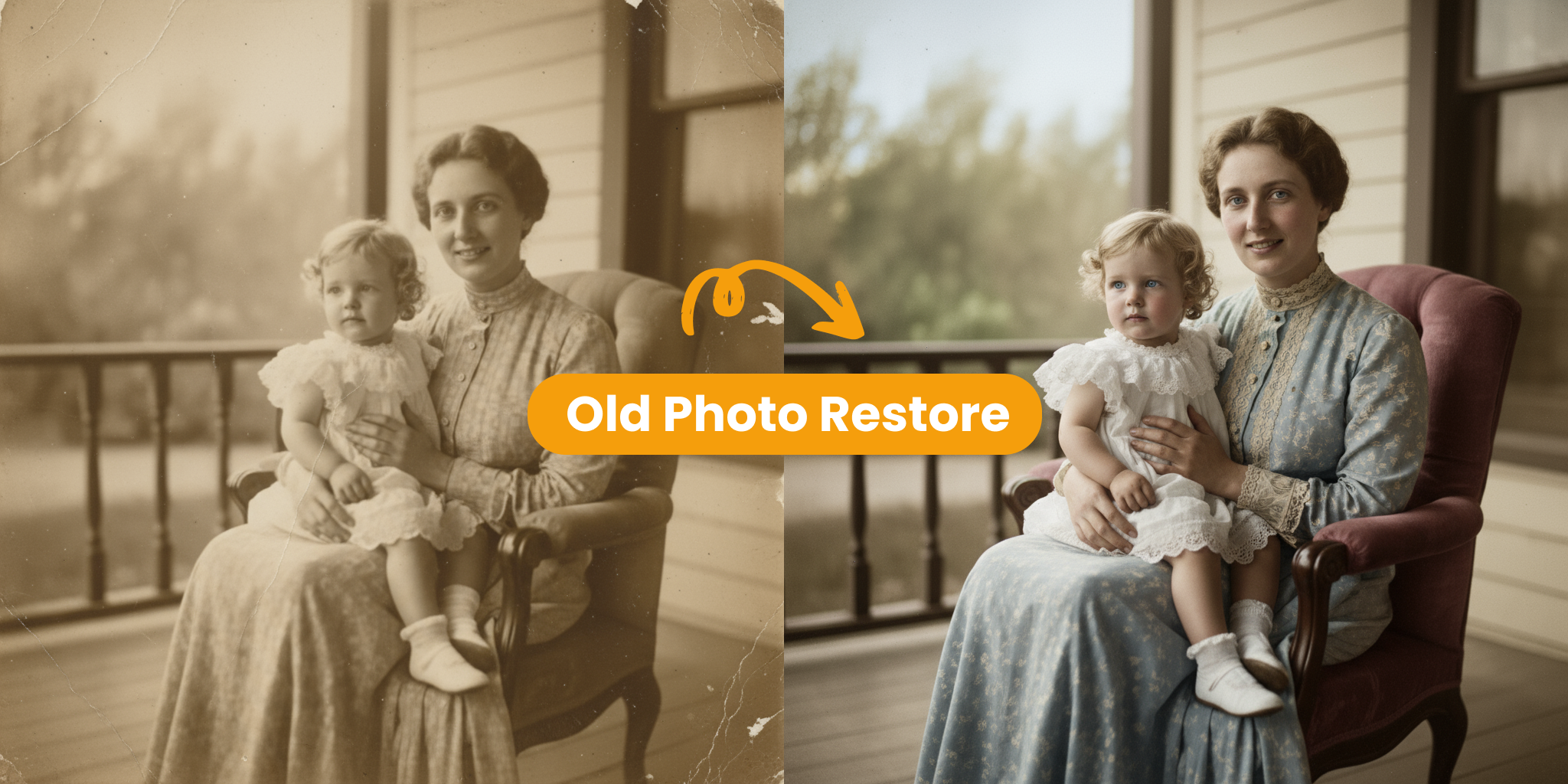
Core Features of Image to Image AI
Explore the advanced tools that make Image to Image AI the best choice for creating stunning visual transformations effortlessly:
High-Quality Visuals
Our advanced models deliver sharp details and smooth colors, ensuring every transformation looks professional and eye-catching.
Multiple Style Options
Easily create images in many different styles, from realistic photos to artistic paintings, using our versatile presets.
Smart Scene Analysis
Our engine understands the layout and depth of your original photo to keep the composition natural and coherent in every new version.
Simple User Controls
Use our easy dashboard to adjust how much you want to transform your image. No complex editing skills are needed here.
Flexible Export Formats
Download your finished artwork in popular high-quality formats, ready to be shared or used in your projects immediately.
Fast Processing
Our high-performance servers process every request quickly, giving you reliable and fast results every time you click generate.
How to Use Image to Image AI
Transform your photos in just 3 simple steps using our intuitive tool.
Upload Your Source Photo
Start by uploading your source image. Our tool works best with clear, high-quality photos.
Write a Detailed Prompt
Describe the transformation you want. The more specific your instructions, the better the Image to Image AI can capture your vision.
Generate and Save
Click generate to start the Image to Image AI process. In seconds, your new variations will be ready to download and use.
What Creators Say
Real insights from professionals using Image to Image AI to enhance their creative work.

Fast Variations with Image to Image AI
“Image to Image AI allows me to quickly explore different artistic directions for my photos. I can upload a concept and see multiple variations in seconds, which keeps my creative process moving fast.”
- Maintain the core structure of your original photo while adding new styles.
- Easily switch between different artistic looks to find the perfect match.
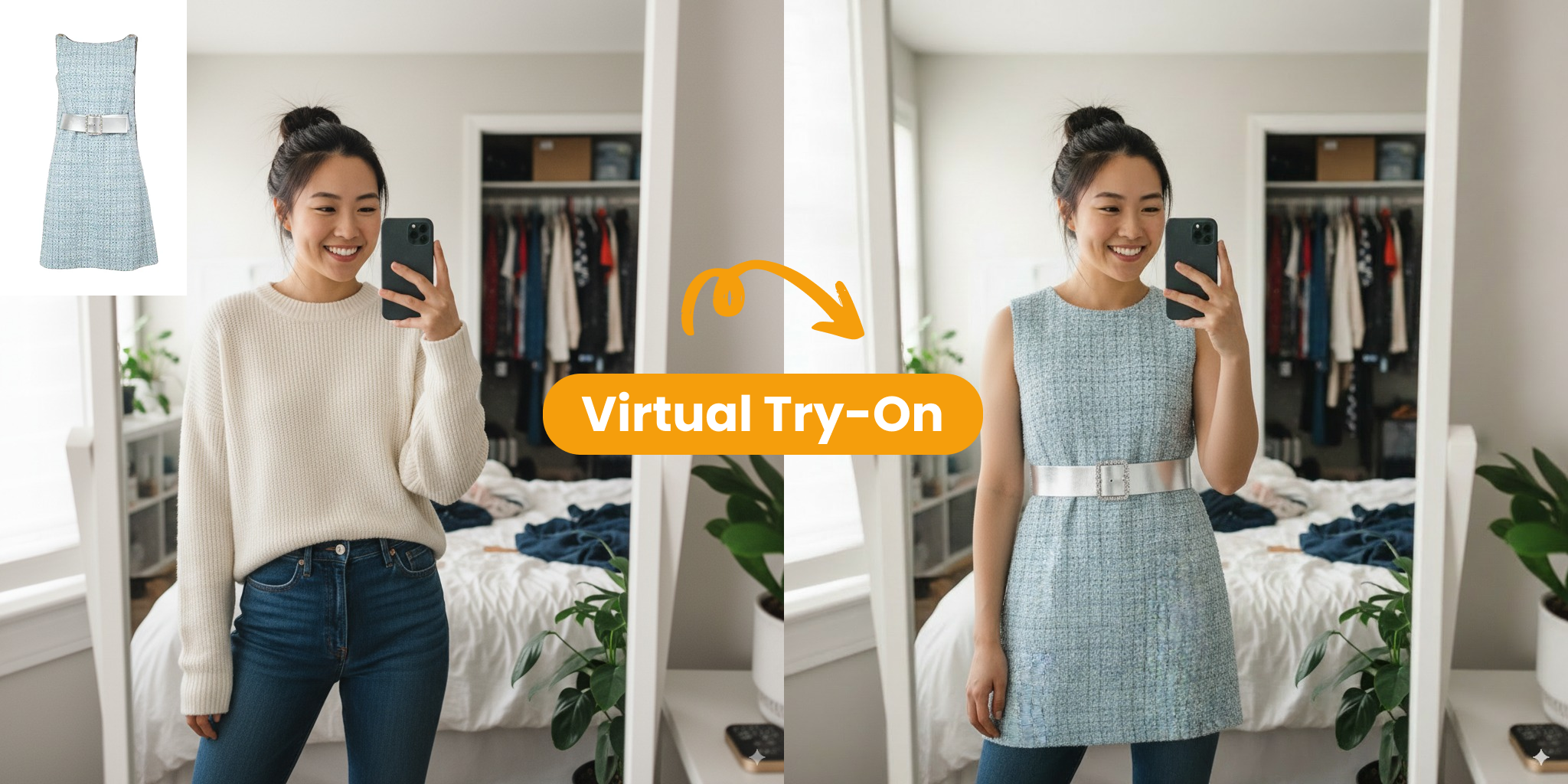
Consistent Visuals Across Every Project
“Using Image to Image AI helps our team stay consistent. We can take our base branded images and use simple prompts to create new variations that all follow the same visual language, saving us hours of manual work.”
- Ensure a cohesive look across all your visual assets and social posts.
- Save time and resources by transforming existing images instead of starting over.
Creating Stunning Visuals with Image to Image AI
Our tool uses advanced neural networks to ensure every transformation is detailed, coherent, and visually stunning.
Artistic Styles
Versatile
Explore a wide range of creative looks and artistic aesthetics with our Image to Image AI technology.
User Feedback
Excellent
Trusted by designers and creators worldwide for delivering reliable and high-quality Image to Image AI results.
Creation Speed
Very Fast
Image to Image AI is highly rated for making complex transformations quick and easy for everyone.
What Our Users Say
See how creative teams and developers are using Image to Image AI to transform their photos and speed up their work.
David C.
Content Creator
Image to Image AI has totally changed my workflow. Now my social media posts look professional and high-quality without a big budget.
Rachel K.
Game Developer
Testing new game art is so much easier. Image to Image AI helps us create visual concepts in a few hours that used to take weeks.
Marcus T.
AI Researcher
Compared to other tools, Image to Image AI is the best for consistency and detail. It was very easy to integrate into our existing pipeline.
Sofia G.
Content Producer
Creating multiple variations of a scene is now much faster. Image to Image AI ensures high-quality results across all our project assets.
James W.
Creative Director
Our team can iterate on designs much more quickly now. Image to Image AI helps us visualize ideas and share them with clients in no time.
Anna Z.
VA Developer
Creating realistic avatars for virtual assistants is now simple. Image to Image AI delivers great character results that look professional instantly.
Common Questions about Image to Image AI
Quick answers to help you understand how Image to Image AI works—reach out if you need more help.
What is Image to Image AI?
Image to Image AI is a tool that takes your existing photo and transforms it into a new version using artificial intelligence and your creative instructions.
Why should I use Image to Image AI?
It gives you more control over the result than text-only tools. You can keep the layout of your original photo while exploring new styles and variations.
How can I get started with Image to Image AI?
Simply upload a clear photo, write a short description of the changes you want, and click generate. Our Image to Image AI tool will do the rest.
Where can I learn more about Image to Image AI?
You can check out our tutorials and community guides to find best practices and inspiration for your next Image to Image AI project.
What makes Image to Image AI different from other tools?
Unlike standard AI tools that start from scratch, Image to Image AI uses your own photo as a reference, making it easier to get exactly what you want.
Can I tailor the visual style?
Yes! You can use Image to Image AI to change colors, art styles, lighting, and mood while keeping the original composition of your picture.